Updated August 2026
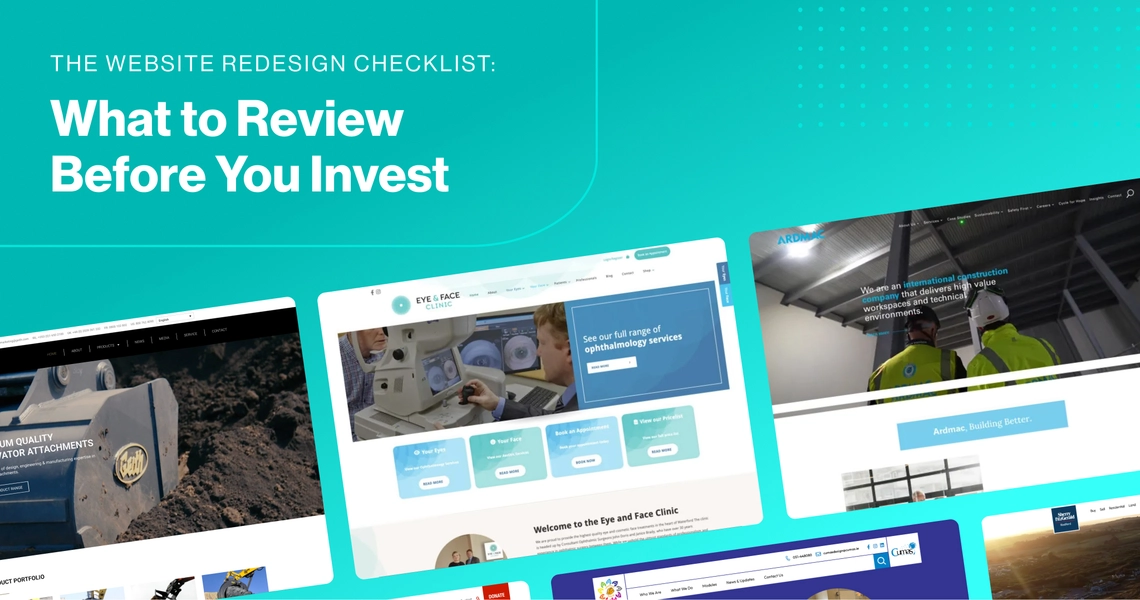
A website redesign can be a significant investment, so it is worth understanding exactly what needs to change before beginning a project.
Sometimes a website genuinely needs a complete redesign. In other cases, improvements to content, navigation, performance or individual landing pages may be enough to achieve better results.
This website redesign checklist is designed to help you evaluate your existing website objectively, identify the areas that are holding it back and create a clearer brief before speaking with a web design agency.
If you have already decided that your website needs to be rebuilt, you can learn more about 2Cubed’s professional website redesign services and how we approach redesign projects for businesses across Ireland.
1. Does Your Website Still Represent Your Business?
Start by looking at your website from a potential customer’s perspective.
Does it accurately reflect the business you are today?
Businesses evolve over time. Services change, teams grow, branding develops and target markets shift. A website that worked well several years ago may no longer communicate your current positioning effectively.
Review:
- Your key services and products
- Brand messaging
- Photography and imagery
- Company information
- Calls to action
- Target audiences
- Industries or markets served
If visitors cannot quickly understand what your business does and why they should choose you, the problem may be broader than visual design alone.
2. Review Your Website Navigation
Good website navigation should make important information easy to find.
Users should not have to search through multiple menus or pages to understand your services, contact your team or complete an enquiry.
Look at your main navigation and ask:
- Are your most important pages easy to reach?
- Are menu labels clear?
- Are there too many navigation options?
- Can users reach important content within a few clicks?
- Does the structure reflect your current services?
- As websites grow over time, their structure can become unnecessarily complicated. A redesign provides an opportunity to simplify navigation and create clearer user journeys.
3. Check Which Pages Are Actually Performing
Before removing or rewriting existing pages, review their performance.
Google Analytics and Google Search Console can provide useful information about which pages generate:
- Organic traffic
- Search impressions
- Enquiries
- Conversions
- Engagement
- Backlinks
Some older pages may not look particularly modern but may still perform strongly in search engines.
These pages should be carefully considered during any redesign rather than automatically replaced.
A good redesign should preserve what already works while improving areas that are underperforming.
4. Review Your Website on Mobile Devices
Mobile usability should be a major consideration when assessing your existing website.
Open your website on several mobile devices and test important journeys.
Check whether:
- Text is easy to read
- Buttons are easy to tap
- Navigation works properly
- Forms are straightforward to complete
- Images scale correctly
- Important information appears prominently
- Pages load quickly
A website may technically be responsive without delivering a particularly good mobile experience.
The goal should be to make the mobile version of your website intuitive rather than simply making the desktop layout fit onto a smaller screen.
5. Evaluate Website Speed and Performance
Website performance influences both user experience and search visibility.
Slow websites can frustrate users and make it more difficult for potential customers to explore your services.
Review areas such as:
- Large image files
- Outdated plugins
- Unnecessary scripts
- Poor hosting performance
- Excessive third-party integrations
- Core Web Vitals
- Mobile loading speeds
Google PageSpeed Insights and Search Console can help identify technical performance issues.
Not every performance problem requires a complete redesign, but persistent technical limitations may indicate that the underlying website needs more substantial work.
6. Review Your Website Content
A redesign should not focus only on visual appearance.
Content is often one of the biggest opportunities for improvement.
Review your main pages and consider whether the content:
- Clearly explains your services
- Answers common customer questions
- Reflects your current expertise
- Contains outdated information
- Targets the right search terms
- Includes useful internal links
- Encourages visitors to take the next step
Over time, websites often accumulate duplicated, outdated or competing content.
A redesign project is a good opportunity to consolidate weaker pages and strengthen the pages that are most important to your business.
7. Check Your Calls to Action
Every important page should give users a clear next step.
Depending on your business, that might be:
- Request a quote
- Book a consultation
- Contact the team
- Download information
- View a project
- Purchase a product
- Make an appointment
Review whether your calls to action are visible, relevant and consistent throughout the website.
If users regularly visit your website without progressing towards an enquiry or conversion, the issue may be the user journey rather than simply the design.
8. Review Your SEO Before Changing Anything
SEO should be considered before a redesign begins — not immediately before launch.
Existing websites can contain years of accumulated search authority.
Before changing URLs, removing pages or restructuring content, review:
- Current organic rankings
- High-performing landing pages
- Existing backlinks
- Page titles and metadata
- Internal links
- Indexed URLs
- Redirect requirements
- Duplicate or competing pages
One of the biggest redesign mistakes is launching a new website without properly mapping old URLs to their new destinations.
A comprehensive redirect plan helps preserve existing search visibility and ensures users do not land on broken pages.
9. Check Accessibility
Website accessibility should also form part of your review.
Consider areas including:
- Colour contrast
- Heading hierarchy
- Alternative text
- Keyboard navigation
- Form labels
- Link descriptions
- Text readability
- Interactive elements
Improving accessibility can make your website easier to use for everyone while helping your organisation meet modern digital standards.
10. Review Your Website Technology
The technology behind your website can affect security, performance and how easily your team can manage content.
Ask:
- Is your CMS still suitable?
- Can staff update content easily?
- Are plugins or integrations outdated?
- Are important features difficult to maintain?
- Does the site integrate properly with other systems?
- Are security updates regularly applied?
Sometimes a website looks dated but the underlying technology remains perfectly usable.
In other cases, technical limitations make ongoing improvements increasingly difficult, making redevelopment the more practical long-term option.
11. Look at Your Competitors — Carefully
Competitor websites can provide useful context, but they should not dictate your redesign.
Review how other businesses present:
- Services
- Navigation
- Case studies
- Trust signals
- Calls to action
- Content
- Contact information
The objective is not to copy competitors.
Instead, identify what users in your market are likely to expect and look for opportunities to provide a clearer or more useful experience.
12. Define What Success Should Look Like
Before investing in a redesign, establish what you want the new website to achieve.
Possible objectives include:
- Increasing qualified enquiries
- Improving organic search visibility
- Supporting a new brand
- Promoting new services
- Improving mobile usability
- Increasing online sales
- Reducing administration
- Integrating business systems
- Making content easier to manage
Clear objectives make it easier to evaluate design decisions throughout the project.
A successful website redesign should solve identifiable business problems rather than simply make the website look different.
Do You Need a Full Website Redesign?
Not every website requires a complete rebuild.
If your existing website performs well technically and has a strong structure, targeted improvements may be enough.
However, a more comprehensive redesign may be worth considering where there are significant issues involving:
- User experience
- Outdated technology
- Poor mobile performance
- Difficult content management
- Weak conversion journeys
- Major branding changes
- Website structure
- Search performance
The best starting point is to establish what is currently working, what is not and what the website needs to achieve over the next several years.
If you have completed the checklist and believe a larger redevelopment is required, explore 2Cubed’s Website Redesign Services to learn more about our approach to redesigning established business websites.
Website Redesign Checklist FAQs
What should I check before redesigning my website?
Review your website’s content, navigation, mobile usability, performance, SEO, analytics, accessibility and underlying technology before deciding what needs to change.
Should I redesign my entire website?
Not necessarily. Some websites benefit more from targeted improvements to content, navigation, performance or individual pages. A full redesign is generally more appropriate when there are wider structural, technical or usability problems.
Should SEO be reviewed before a website redesign?
Yes. Existing rankings, backlinks, landing pages and URLs should be reviewed before major changes are made. This helps protect valuable organic visibility during the redesign.
What website data should I review first?
Start with Google Analytics and Google Search Console. Look at organic landing pages, conversions, traffic trends, search queries and pages receiving significant search impressions.
Should old pages be deleted during a redesign?
Only where there is a clear reason. Pages with rankings, backlinks, useful content or existing traffic may need to be retained, consolidated or redirected rather than simply removed.
When should I speak to a website redesign company?
Once you have identified the main limitations of your existing website and have an idea of what you want the new website to achieve, a specialist agency can help determine the most appropriate redesign strategy.